
Blueprint – 07. Petty Cash Liquidation

1 Payment Request
Petty Cash holders can request an amount of money for spending via Petty Cash module. Each petty cash holder should have a FinSource code assigned.
Each petty cash holder can create a payment request based on the project. The information that has to be filled is amount, FinSource code department etc.
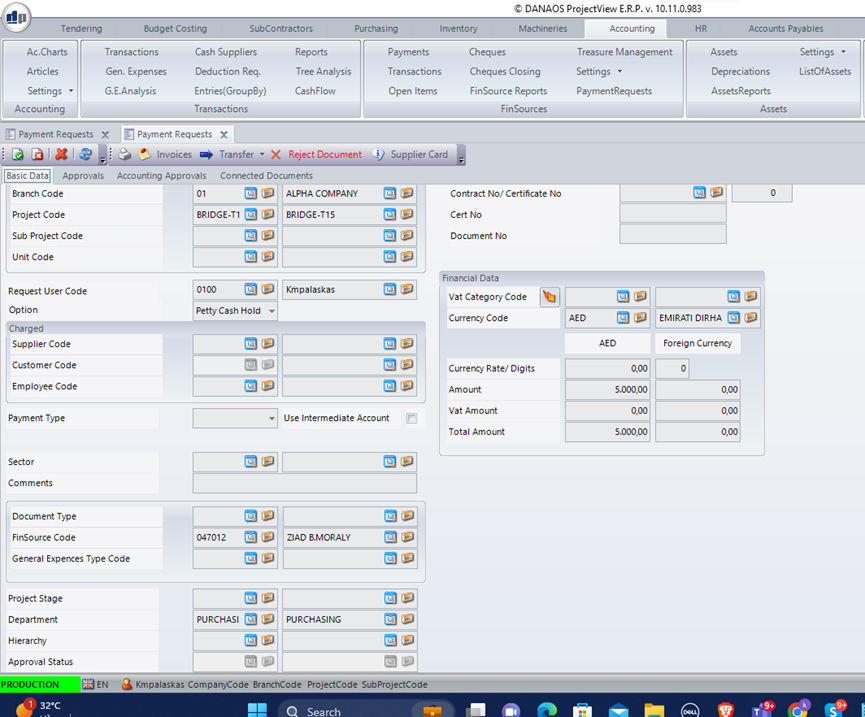
After the approvals workflow, this request can be transferred to accounting, Accounting will debit the petty cash holder with the requested amount. This transaction is covered by the accounting module. Once the accounting transfers the money to the petty cash holder (FinSource), the transaction of money transferred will appear as a debit on the Fin Source Card Ledger.
Then the Petty cash holder is able to start using the petty cash screen to register all expenses done by him, attaching the proper documents.
2 Creation of Petty Cash Liquidation
In order to create a new general expense the user must enter the general expenses form from the accounting module. After that the below must be filled.
- Company
- Branch
- Project
- The document has to be f03 (petty cash liquidation)
- The transaction type (General expenses)
- The finsource code (Petty cash holder)
- The Date of Petty Cash document
- The department (it is necessary so as the system creates the proper workflow)
- The comments
The above are the header information.
Then in the detail lines user has to enter line per line the expenses that have been done attaching on the header (in a separate tab) all necessary documents. The detail info required is shown below:
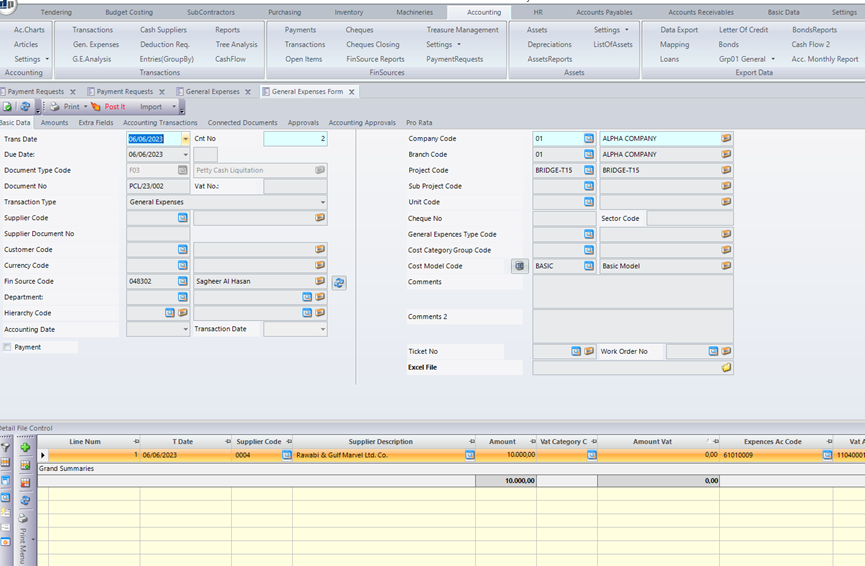
- Date of the expense
- Expense Code (available from a predefined list of general expenses)
- Amount
- Vat Amount
- Comment
- Supplier Code (or vat number if the supplier is not included in the registered supplier codes. This is needed for tax purposes, since all expenses must be related either to a registered supplier or a “cash supplier”. Cash supplier is a supplier that is not registered in the accounts payable, put he has a vat no) .
These are the minimum info in order to complete the petty cash transaction.
At this point system needs 2 more info:
- The accounting code for the expense and the Vat Accounting Code(This is done once, during the set up, where the administrator has assigned to each general Expense the required codes. An accounting code for the expense and an accounting code for the Vat)
- The proper Cost Code (during set up, admin can assign to each general expense code the standard cost code). User is allowed to change the cost code in case he wants. Entries without cost codes are not accepted.
In this screen there are some more fields which are not mandatory , but they are useful as if filled they provide more info:
These are:
- Employee Code (The expense code is visa expenses, but knowing for which employee the cost has been created is useful)
- The Machinery Code (As above knowing the machinery for which the expense has been done can be useful)
- The BOQ line (if this is a direct cost, it is good to assign the proper BOQ line)
Once the entry is saved and approved , then the cost is updated automatically and the accounting entry is ready to be processed.
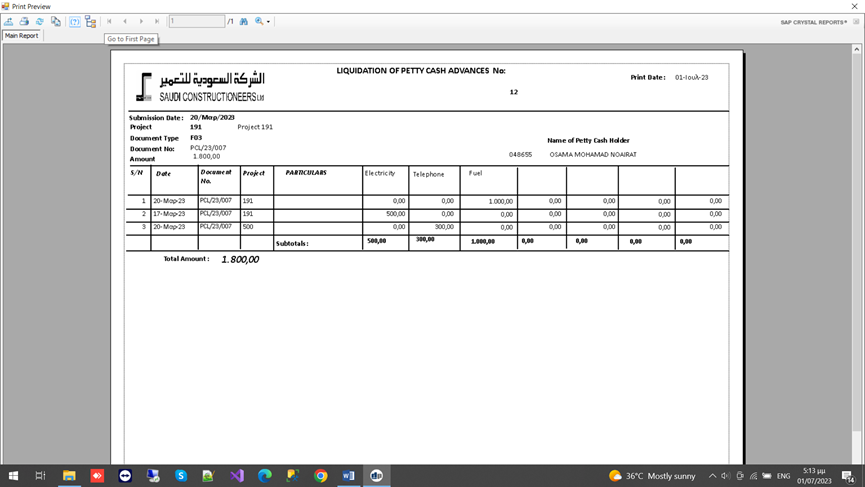
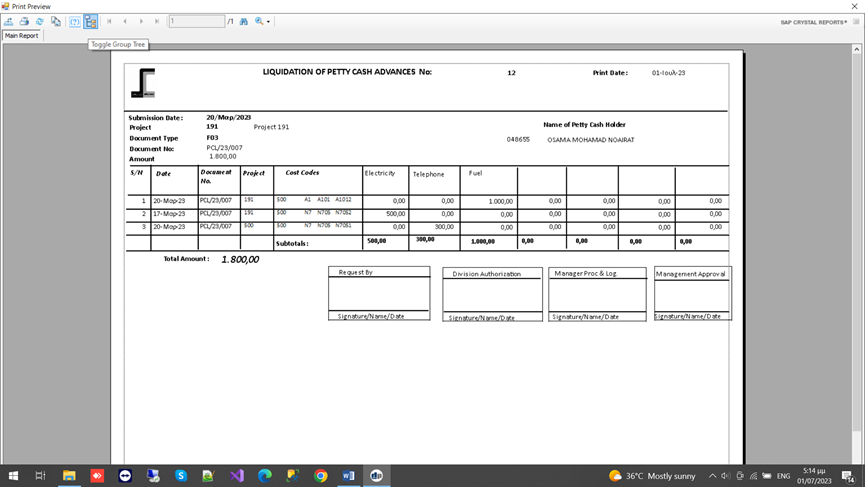
The following printouts are available for this module :
- Petty cash report having the expenses in columns
- Petty cash report having the expenses in lines along with the proper assigned accounting codes
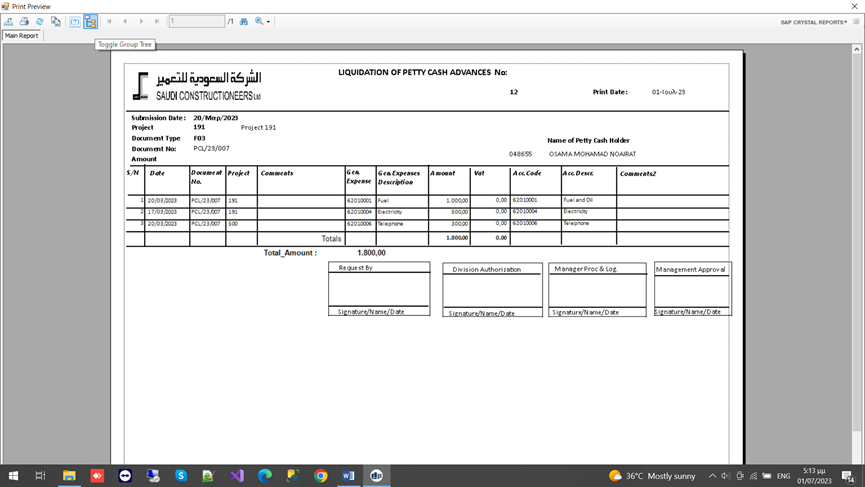
- Petty cash report including the Cost Codes for each line
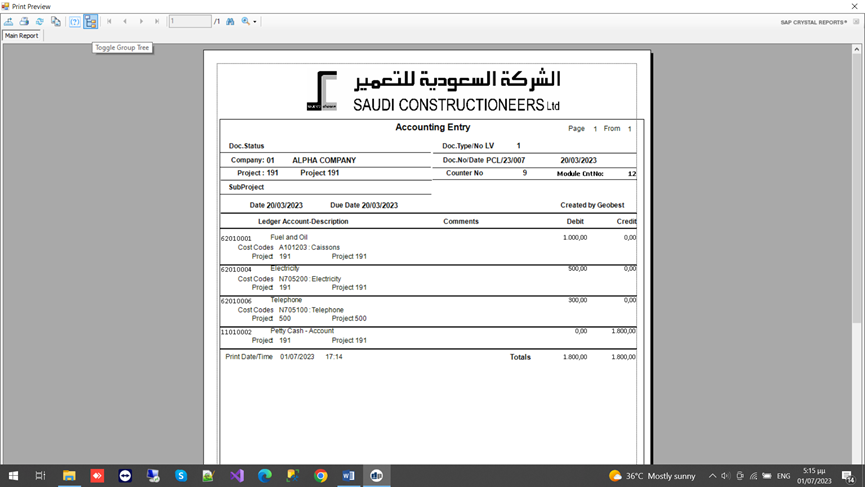
- Petty cash accounting entry created
Key Features and Functionalities Presented
| No. | Features and Functionalities | Yes/No |
| 1 | Payment request | |
| 2 | Create petty cash liquidation |

0 Comments