
Blueprint – 10. Customer Contracts
General Glossary
| No. | Term | Explanation |
| 1 | SIR | SITE ITEM REQUEST |
| 2 | MRF | MATERIAL REQUEST FORM |
| 3 | QTY | QUANTITY |
| 4 | INV | INVETORY |
1 Customer Contracts
Customer Contract is a copy of a BOQ Budget with BOQ Quantities and Selling Unit Rates.
To create a new Customer Contract users have to enter Customer Contract Screen from Accounts Receivables menu.
In order to create a new contract users need to add the following:
- Company
- Branch
- Project
- Date
- Customer
- Contract Number (If blank system creates a number)
Then by clicking the proper tab system copies the full BOQ to the detail contract lines.
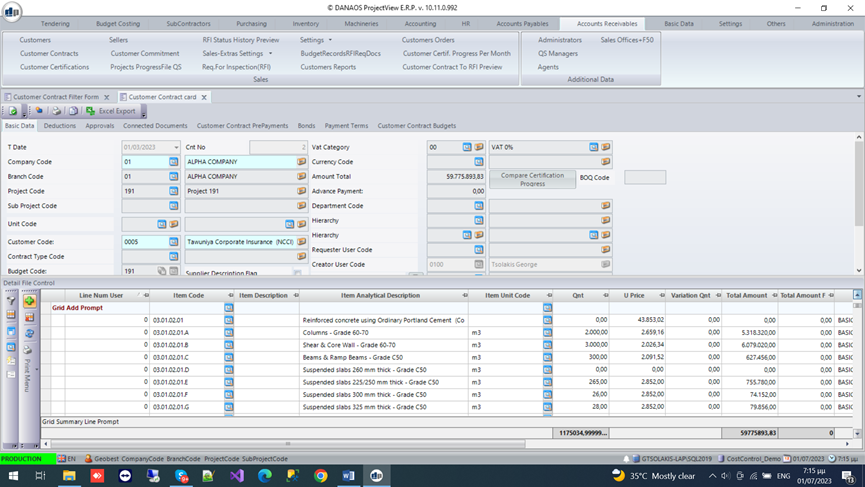
At this point User has only to add some more info such as :
- The retention percentage for each certification
- The adv payment amounts (This info can come directly from accounting)
- The adv payment deduction percentage for each certification
- The payment terms of the certifications
- The attached documents for the contract.
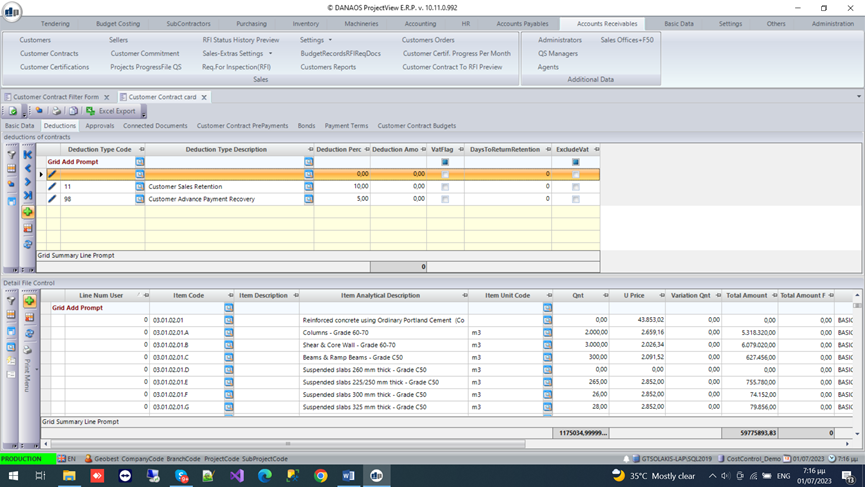
A workflow of approvals can be set if required.
Every time the budget is changes (due to change requests) the contract can be updated accordingly , keeping the same version number as the BOQ Budget.
2 Customer Certifications
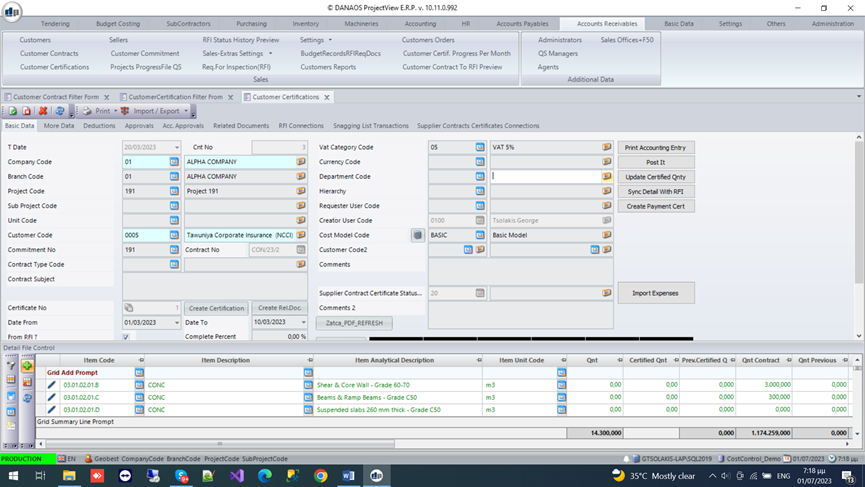
A Customer Certification is created , based on the Contract and a sequence number that is generated automatically by the system for each certification, starting from 1.
User then enters in the Customer Certification screen and adds the basic information:
- Company
- Branch
- Project
- ContractNo
- Date of Creation
- Period of dates for this Certification
- Comments
- Seq No of Certification (Auto generated)
There are three ways to create a Customer Certification:
- Copy the full contract lines, with 0 certified quantities, then the QS types the measured qnts per BOQ line to be send to the customer.
- System can create an excel file with:
- The BOQ line
- The BOQ(Contract ) Quantity
- The certified till now quantity
- The certified percentage till now
- 0 for current quantity
- 0 for current percentage
And send this to the QS to fill up the requested quantities.
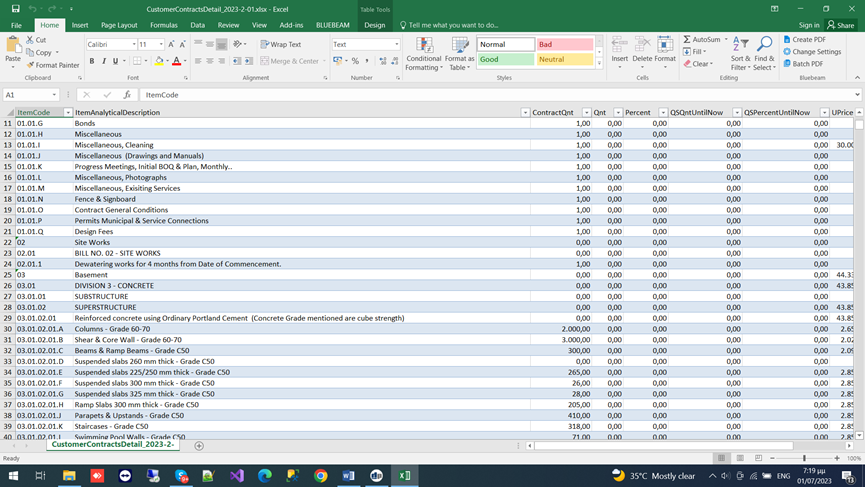
QS can update the excel and then an authorized user from the company can import this to the system so that the certification will be created.
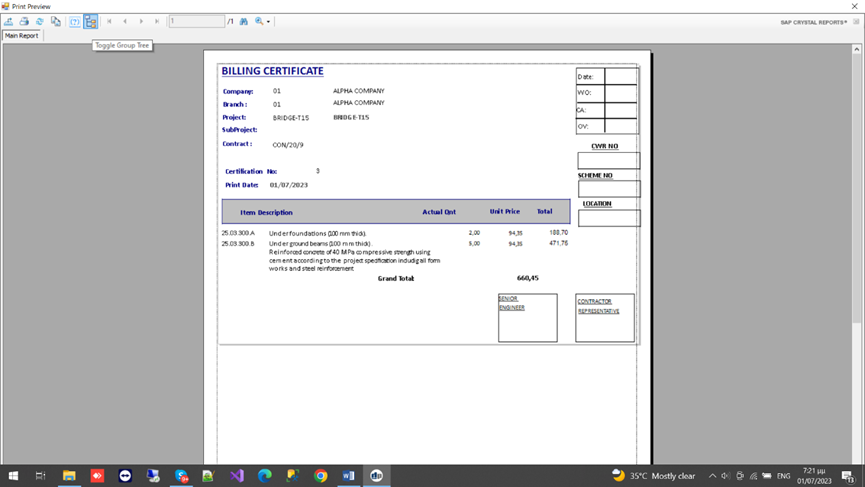
In both cases described above, system sends this certification to the customer (by excel file or by printed document). Then the Customer consultant needs to certify these quantities. At this point and based on these quantities the amounts of the certifications are calculated (customer consultants may certify different quantities than requested by the QS)
- To follow the FRI (Request for Inspection) module. RFIs are many and regular requests (even daily) to the Customer consultant to inspect the quantities for one or more BOQs and certify accordingly. RFI can have only one line containing the progress of a single BOQ line.
Each RFI has its own connected documents, its own printouts, its own approvals.
Many RFIs can create one Customer Certification.
If a company decides to use RFI then each RFI is approved separately, and the customer approval for the certification is not needed.
When the Certification is created (by any of the above described methods),
then the retention amounts and the adv.payment deductions are calculated
automatically. User can add any other Customer Deductions (penalties,
purchase on behalf of company etc.) and the Customer Certification is ready
for submission.
Once the certification is returned by the customer, the system can create and
Print the original invoice. It also creates the proper accounting entry. The
customer card ledger will also be updated.
Key Features and Functionalities Presented
| No. | Features and Functionalities | Yes/No |
| 1 | Payment request | |
| 2 | Create petty cash liquidation |

0 Comments